Dell Workstation for Engineering Colleges
GeM Portal Category: Fixed Computer Workstation (Q2)
Engineering education has changed dramatically over the last decade. Traditional computer labs that once focused on programming and basic design applications are now expected to support Artificial Intelligence (AI), Machine Learning, Computer Vision, Robotics, VLSI Design, CAD/CAM, Finite Element Analysis (FEA), Computational Fluid Dynamics (CFD), Digital Manufacturing, GIS, 3D Rendering, and Scientific Computing.
The software students use today is far more demanding than ever before. Applications such as SolidWorks, CATIA, ANSYS, MATLAB, AutoCAD, Revit, ArcGIS, Blender, Siemens NX, LabVIEW, TensorFlow, PyTorch, and Adobe Creative Cloud require computing hardware that delivers sustained performance, stability, and scalability.
At Swastik Procure, we work closely with engineering colleges, universities, research institutions, government organizations, and technical laboratories to help them procure Dell Workstations through the GeM Portal. Our role extends beyond supplying hardware—we assist institutions in selecting workstation configurations that align with their curriculum, laboratory requirements, software ecosystem, and future expansion plans.
Why Engineering Colleges Need Professional Workstations
Many educational institutions initially consider high-end desktop computers because they appear cost-effective. However, when multiple students begin working on resource-intensive projects simultaneously, the limitations of standard desktops quickly become apparent.
For educational institutions, this translates into:
- Faster project completion
- Improved laboratory productivity
- Better student learning experience
- Reduced hardware failures
- Longer system lifecycle
- Easier future upgrades
- Reliable performance during examinations, workshops, and research activities
Investing in workstation-class systems is not just about purchasing powerful computers; it is about creating an infrastructure that supports innovation, experimentation, and advanced learning.
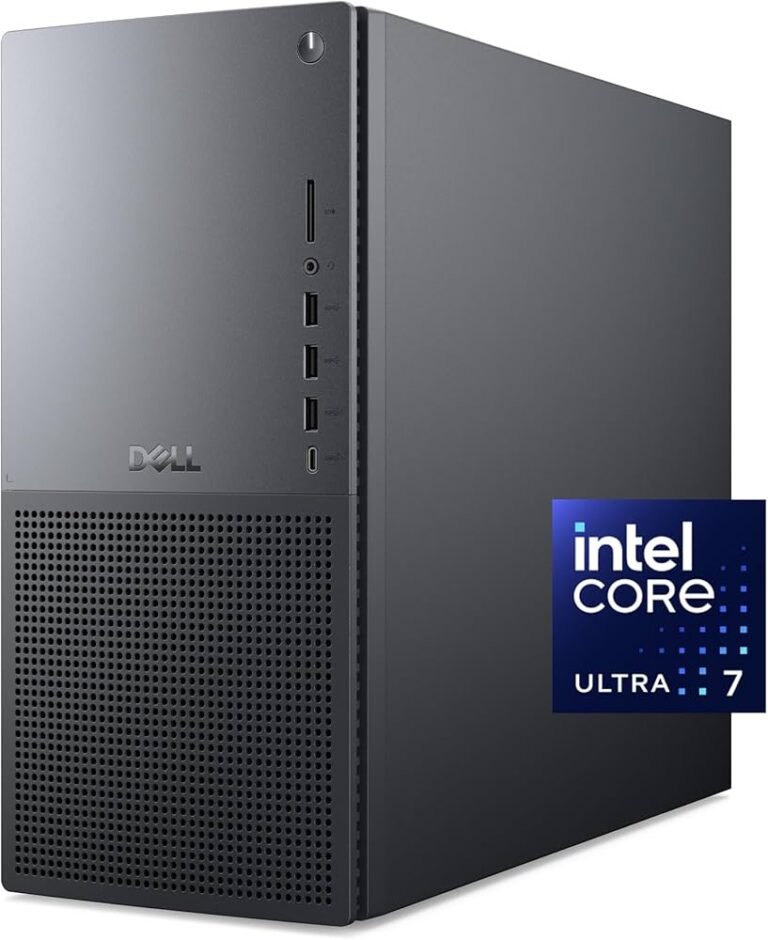
What Makes a Dell Workstation Different from a Regular Desktop?
This is one of the most common questions we receive from engineering colleges. On paper, a consumer desktop and a workstation may appear similar. Both may have modern processors, large amounts of RAM, and SSD storage. However, the similarities largely end there.
Dell Workstations are engineered for professional applications where reliability and sustained performance matter more than short benchmark scores. We are the registered dell distributor on GeM portal and we actively deliver dell workstation for engineering colleges.
Professional Graphics
Engineering applications such as SolidWorks, CATIA, Siemens NX, Creo, and AutoCAD are optimised for professional workstation graphics.
For engineering departments working with 3D assemblies, finite element analysis, or simulation software, this difference becomes significant.
Enterprise-Grade Reliability
A workstation often runs continuously for hours while students perform simulations, render complex models, or analyze large datasets.
Dell designs its workstation platforms with enterprise-level thermal management, ensuring consistent performance.
Larger Memory Capacity
Simulation software, CAD assemblies, AI datasets, GIS applications, and scientific research projects frequently require 32 GB, 64 GB, or even higher memory capacities.
Dell Workstations provide the scalability required for these professional environments and tasks that need more processing.
Better Expandability
Educational institutions rarely purchase systems for only one year. Most workstation deployments are expected to remain operational for five years or more.
Dell Workstations provide flexibility for future upgrades, allowing institutions to expand memory, storage, and graphics.
Need quotation for your workstation? Call +91 9910149260
Workstation Recommendations by Software (ANSYS, MATLAB, AI, CAD, VLSI, Robotics)
One of the most common questions we receive from engineering colleges, universities, and research institutions is: “Which Dell Workstation should we choose for our software?”
The answer isn’t always the workstation with the highest specifications. Every engineering application utilizes hardware differently. Some software relies heavily on processor performance, while others benefit more from professional graphics, memory capacity, or storage speed. Swastik is the registered reseller of dell workstation on GeM Portal. We have delivered 100+ orders of dell workstation for engineering colleges.
1. Dell Workstation for ANSYS
ANSYS is one of the most demanding engineering simulation platforms used in mechanical engineering, aerospace, automotive, civil engineering, and research laboratories.
Typical ANSYS workloads include:
- Structural Analysis
- Finite Element Analysis (FEA)
- Computational Fluid Dynamics (CFD)
- Thermal Analysis
- Electromagnetic Simulation
- Explicit Dynamics
What ANSYS Needs
ANSYS simulations primarily depend on:
- High-performance multi-core processors
- Large RAM capacity
- Fast NVMe SSD storage
- Professional graphics for model visualization
Simulation projects often involve large datasets, making memory capacity just as important as processing power.
Recommended Dell Workstations
- Dell Pro Precision 7 T1 – Undergraduate engineering laboratories and standard simulation workloads.
- Dell Pro Max Tower T2 – Advanced simulation, CFD, and postgraduate research.
- Dell Precision 5860 Tower – Large engineering models, intensive FEA, and enterprise research.
- Dell Precision 7960 Tower – High-performance computing environments and complex simulation projects.
2. Dell Workstation for MATLAB & Simulink
MATLAB remains one of the most widely used software platforms across engineering colleges.
Departments using MATLAB include:
- Mechanical Engineering
- Electrical Engineering
- Electronics Engineering
- Computer Science
- Robotics
- AI Research
- Signal Processing
Typical MATLAB Workloads
- Algorithm Development
- Signal Processing
- Image Processing
- Deep Learning
- Control Systems
- Data Analysis
- Numerical Computing
Recommended Dell Workstations
For teaching laboratories and regular coursework, the Dell Pro Precision 7 T1 offers an excellent balance of performance and cost.
For advanced research, simulation, and AI toolboxes, the Dell Pro Max Tower T2 provides greater scalability and processing capability.
3. Dell Workstation for Artificial Intelligence & Machine Learning
Artificial Intelligence laboratories have become a core component of modern engineering colleges.
Students and researchers work with frameworks such as:
- TensorFlow
- PyTorch
- Keras
- CUDA
- OpenCV
- Hugging Face
- Jupyter Notebook
These applications place significant demands on both processors and graphics hardware.
AI Workloads Include
- Model Training
- Deep Learning
- Image Recognition
- Natural Language Processing
- Computer Vision
- Generative AI
- Large Dataset Processing
Quick Recommendation Table
| Software / Workload | Recommended Dell Workstation | Best For |
|---|---|---|
| AutoCAD | Dell Pro Precision 7 T1 | CAD Labs, Civil & Mechanical Engineering |
| SolidWorks | Dell Pro Precision 7 T1 / Pro Max Tower T2 | Product Design & Manufacturing |
| CATIA | Dell Pro Max Tower T2 | Advanced Mechanical Engineering |
| ANSYS | Dell Precision 5860 / Precision 7960 | Simulation & FEA Research |
| MATLAB & Simulink | Dell Pro Precision 7 T1 | Teaching Labs & Engineering Research |
| AI & Machine Learning | Dell Pro Max Tower T2 | AI Labs & Computer Science Departments |
| VLSI & FPGA Design | Dell Pro Precision 7 T1 / Precision 5860 | Electronics & Semiconductor Research |
| Robotics | Dell Pro Max Tower T2 | Robotics, Computer Vision & Automation |
| GIS & ArcGIS | Dell Pro Precision 7 T1 | Civil Engineering & Survey Departments |
| 3D Rendering & Visualization | Dell Precision 5860 | Architecture, Design & Media Labs |
Frequently Asked Questions (FAQs)
1. Which Dell Workstation is best for Engineering Colleges?
The ideal Dell Workstation for Engineering Colleges depends on the software and academic applications used within each department. Mechanical engineering laboratories typically require workstation-class systems for SolidWorks, CATIA, and ANSYS, while Computer Science departments focusing on Artificial Intelligence and Machine Learning benefit from configurations with powerful processors, expandable memory, and professional graphics. Civil Engineering departments often prioritize workstations optimized for AutoCAD Civil 3D, Revit, and STAAD.Pro.
Rather than selecting the same workstation for every laboratory, we recommend evaluating departmental requirements and choosing configurations that align with the software ecosystem and future curriculum plans. we are the registered distributor of Dell on GeM portal for workstations.
2. Why should Engineering Colleges choose Dell Workstations instead of regular desktops?
Engineering software demands reliable, sustained performance that standard business desktops are not designed to provide.
Dell Workstations offer several advantages, including:
- Professional workstation architecture
- Enterprise-grade reliability
- ISV-certified hardware for engineering software
- Higher memory capacity
- Better thermal management
- Expandable storage and graphics
- Longer product lifecycle
- Consistent performance during extended computational workloads
These benefits make Dell Workstations well-suited for engineering education, research, simulation, and laboratory environments.
3. Which Dell Workstation is suitable for Mechanical Engineering departments?
Mechanical Engineering laboratories commonly use software such as SolidWorks, CATIA, Creo, Siemens NX, and ANSYS.
For undergraduate CAD laboratories, the Dell Pro Precision 7 T1 is often a strong choice. Departments involved in advanced simulation, product development, or postgraduate research may benefit from the additional performance and expandability of the Dell Pro Max Tower T2 or Dell Precision 5860 Tower.
4. Which Dell Workstation is recommended for AI and Machine Learning Labs?
Artificial Intelligence laboratories generally require systems capable of handling computationally intensive workloads such as model training, computer vision, deep learning, and large dataset processing.
Depending on the project requirements, suitable options include:
- Dell Pro Max Tower T2
- Dell Precision 5860 Tower
- Dell Precision 7960 Tower
The appropriate configuration should be selected based on processor performance, graphics requirements, memory capacity, and future scalability.
5. Can Dell Workstations run engineering software like ANSYS, MATLAB, SolidWorks, and AutoCAD?
Yes. Dell Workstations are designed for professional engineering applications and are widely used for software such as:
- ANSYS
- SolidWorks
- CATIA
- Siemens NX
- Creo
- MATLAB
- Simulink
- AutoCAD
- Revit
- ArcGIS
- LabVIEW
- Blender
Choosing the right configuration ensures these applications perform efficiently for both teaching and research.
6. How much RAM should an Engineering College workstation have?
The recommended memory depends on the workload.
Typical guidance is:
- Programming & Office Applications – 16 GB
- AutoCAD & Revit – 32 GB
- SolidWorks & CATIA – 32–64 GB
- ANSYS Simulation – 64 GB or more
- AI & Machine Learning – 64 GB or more
- Research & HPC Applications – 64 GB to 128 GB or higher
Selecting expandable configurations also helps institutions accommodate future software requirements.
7. Should Engineering Colleges choose Intel Core Ultra or Xeon-based Dell Workstations?
Both platforms have their strengths.
Intel Core Ultra processors are well suited for modern engineering laboratories, AI-assisted workflows, CAD applications, and general academic computing.
For highly specialized research environments involving extensive simulations, virtualization, or memory-intensive applications, workstation-class platforms with enterprise processors may offer additional advantages.
The best choice depends on the intended academic and research workload.
8. Can Dell Workstations be customized before procurement?
Yes. Dell Workstations can typically be configured based on institutional requirements, including:
- Processor
- Memory (RAM)
- SSD and storage capacity
- Professional graphics
- Operating system
- Warranty options
- Networking requirements
Our team helps institutions identify configurations that meet both technical specifications and procurement objectives.
9. Can Engineering Colleges purchase Dell Workstations through GeM Portal?
Yes. Eligible government engineering colleges, universities, autonomous institutions, research laboratories, and public organizations can procure Dell Workstations through the Government e-Marketplace (GeM) in accordance with applicable procurement policies and procedures.
10. Do you help with BOQ preparation and technical specifications?
Yes.
Preparing workstation specifications for engineering laboratories requires balancing software compatibility, performance expectations, future upgrades, and budget.
Our team assists institutions by:
- Reviewing laboratory requirements
- Recommending suitable Dell workstation models
- Preparing technical specifications
- Suggesting equivalent configurations
- Supporting BOQ preparation
- Assisting during GeM procurement
11. Which Engineering Departments benefit most from Dell Workstations?
Dell Workstations are commonly deployed across:
- Mechanical Engineering
- Civil Engineering
- Architecture
- Computer Science & Engineering
- Artificial Intelligence
- Data Science
- Electronics & Communication Engineering
- Electrical Engineering
- Robotics
- Mechatronics
- Manufacturing Engineering
- Aerospace Engineering
- Biomedical Engineering
- Research & Innovation Centres
Each department has unique hardware requirements, making configuration planning an important part of successful procurement.
12. Why should Engineering Colleges choose Swastik Procure?
Selecting the right workstation involves much more than comparing specifications.
At Swastik Procure, we work with institutions to understand the intended software environment, laboratory objectives, and procurement requirements before recommending a solution.
Our support includes:
- Dell Workstation consultation
- Configuration planning
- BOQ assistance
- Technical specification guidance
- GeM procurement support
- OEM-backed Dell products
- Nationwide delivery coordination
- Dedicated pre-sales assistance
Our objective is to help engineering colleges invest in workstations that deliver long-term value while supporting teaching, research, and innovation.